When you’re moving the mouse around on the image keep a very close eye on when the cursor changes from this  to this
When it does it means you’ve found the pixel so click it straight away!
Watch the video above carefully to see this in action.

When you’re moving the mouse around on the image keep a very close eye on when the cursor changes from this to this
When it does it means you’ve found the pixel so click it straight away!
Watch the video above carefully to see this in action.
Due to the fact there’s no cursor or pointer on touch screen devices, and instead you use your finger, keep tapping on your screen around the part of the image where the hidden pixel is. As soon as you’ve found it the next page will load.
Watch the video above carefully to see this in action.
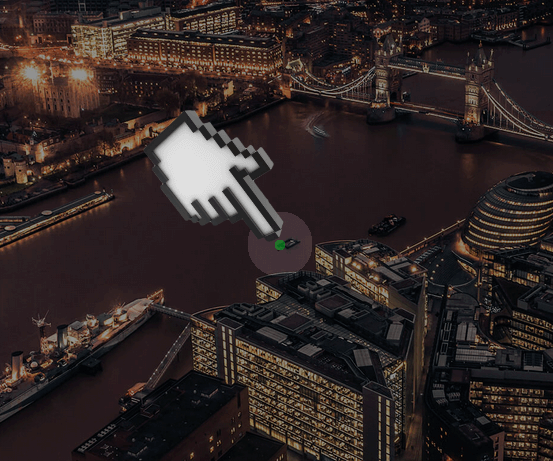
Below is exactly how a Pixel Hunt will look and play. It’s here for you to practice on and get a feel for how it all works.
Simply move the hand (if on a desktop on laptop), or tap your finger (if on a tablet or smart phone) around the image until you find the link.
In a live game you’ll need to click the pixel as soon as you find it. This is a race against all the other hunters!
We’ve shown you in the thumbnail and in the videos where the pixel is. Give it a try now and see if you can find the pixel, you’ll load into another page when you have.
If it helps you can use the fullscreen icon in the top left corner or the zoom buttons in the bottom right corner, it’s entirely up to you.
Once you’ve found the pixel in a live game make sure you enter your name and email address as quickly as possible, the first one to do this wins the main prize! Good luck and happy hunting…
When you’re playing an actual live game there will be a news feed/ticker-tape at the bottom of the screen. This will announce when there’s a winner PLUS clues will be revealed in real time at various intervals as to where the hidden pixel is, so be sure to keep an eye on that as it happens.
auto"">